 Dart
Real golf,
one dart at a time.
If you know golf, you already know Dart Golf. Here's the whole game in a few minutes — the app walks you through the fine print when you play.
Two things on the floor
Hang your board, then mark the floor. A regulation line sits 7 ft 9¼ in from the board — the standard throwing distance — and a tape measure runs along the floor from about 2 ft in front of it to 4 ft behind. That's your whole golf course: you'll step closer or further back along that tape all round.
Each number is a hole
You play the board 1 through 20. Hole 7 is thrown at the 7, hole 18 at the 18.
Pars, like a real card
Holes 3, 7, 13 and 17 are par 3s. Holes 5, 9, 11 and 15 are par 5s. Everything else is a par 4.
Lowest score wins
Every dart you throw on a hole is one stroke. Add up your strokes — fewest around the course takes it.
Drive, approach, chip, putt
Every hole flows the way a golf hole does. Each shot is a dart; where it lands decides what comes next.
Drive
Your tee shot off the regulation line. A great drive leaves you standing closer for the next one; a wild one lands you in a bunker, the woods, or the water — a penalty stroke, just like the real thing.
Approach
Thrown at your hole's number, aiming to land on the green. Hit the triple and you've holed out; land near the number and you're putting; drift too far and you're chipping.
Chip
Missed the green? Chip back toward the hole from just off it, setting up the putt.
Putt
Short throws at the number from up close until the ball drops. Sink it, mark your score, and move to the next hole.
Your lie sets your stance
This is the trick that makes it golf. Where your last dart landed decides how far along the tape you stand for the next shot — a good result lets you step in, a loose one pushes you back.
Land it close, step in
A dart on or beside your target number moves you up the tape — one or two feet closer — so the next shot is easier. Nail the right ring off the tee and you might be putting already.
Miss wide, drop back
The further your dart strays around the board, the further back you stand — up to four feet behind regulation. Certain numbers are bunkers and water: hazards that cost you distance or a penalty stroke.
You can always play it safe. Any time the rules let you stand closer, you're allowed to stay at regulation instead — your call, every shot.
Build your own course
A course in Dart Golf is a set of rules for where every dart sends you. The Course Editor lets you write your own: choose the holes and pars, paint the board for each shot, test it, then publish it for everyone to play and rate. Open it from the app's home screen with Course Editor, then tap + New course.
Set the holes and pars
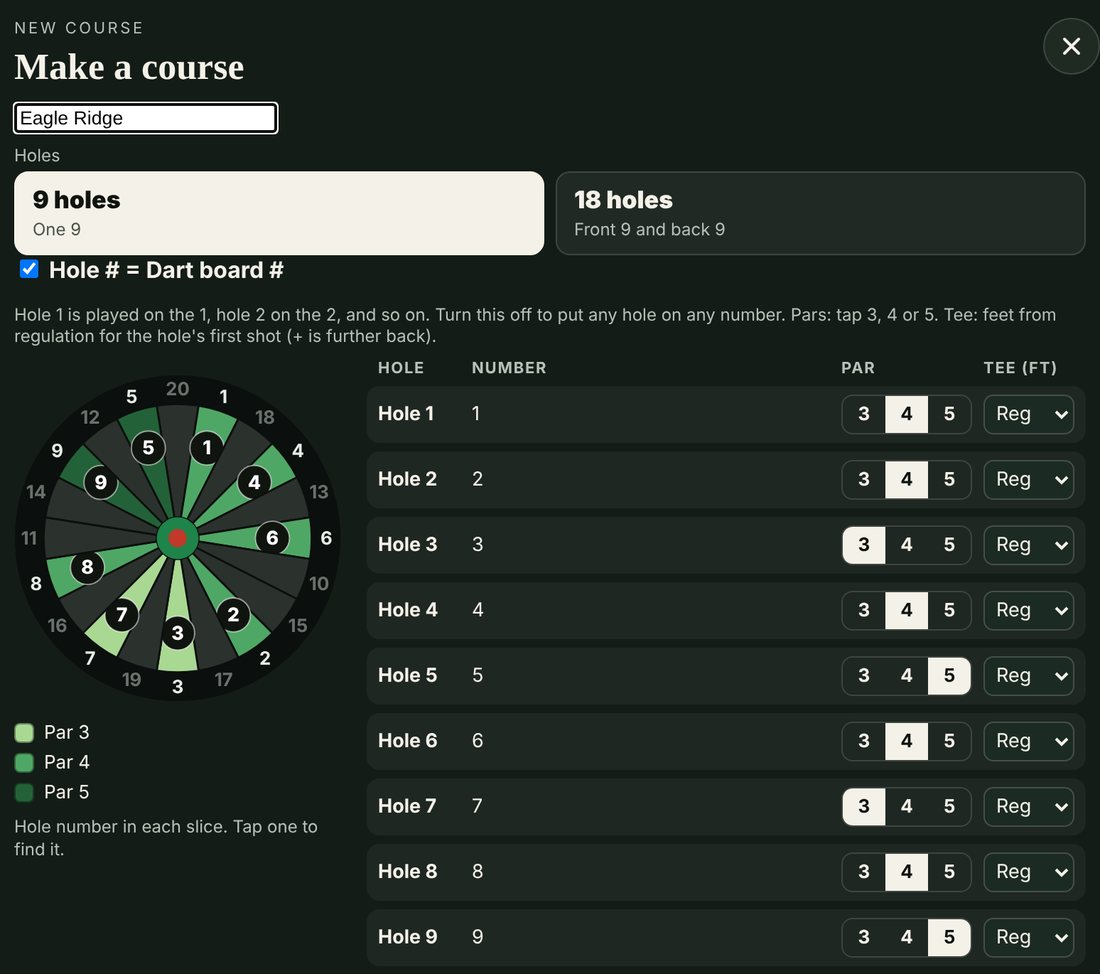
Name the course and choose 9 or 18 holes. With Hole # = Dart board # on, hole 1 is played on the 1, hole 2 on the 2, and so on; turn it off to put any hole on any number. Tap 3, 4 or 5 for each hole's par, and set its tee in feet from regulation (+ is further back). You can change all of this later under Holes & pars.
Pick a starting point
The base rules fill in every hole around its number, so you only change what you want to. Start from Wolf's Point (the standard game, ready to change), Blank (every spot and rule is yours), Scratch (all woods off the tee, so you paint your own fairway), or any course already on your phone.
Paint the board
Choose a shot along the top: Drive, 3 wood (a par 5's second shot), Punch out, Approach, Chip or Putt. Pick a feature from the list and a distance on the scale beside the board, from 2 ft in front of regulation to 4 ft behind it, then tap or drag across the board. Symmetric paints both sides of the hole at once, Edit changes one spot at a time, and Pick a spot copies a spot you've already made.
Make single holes your own
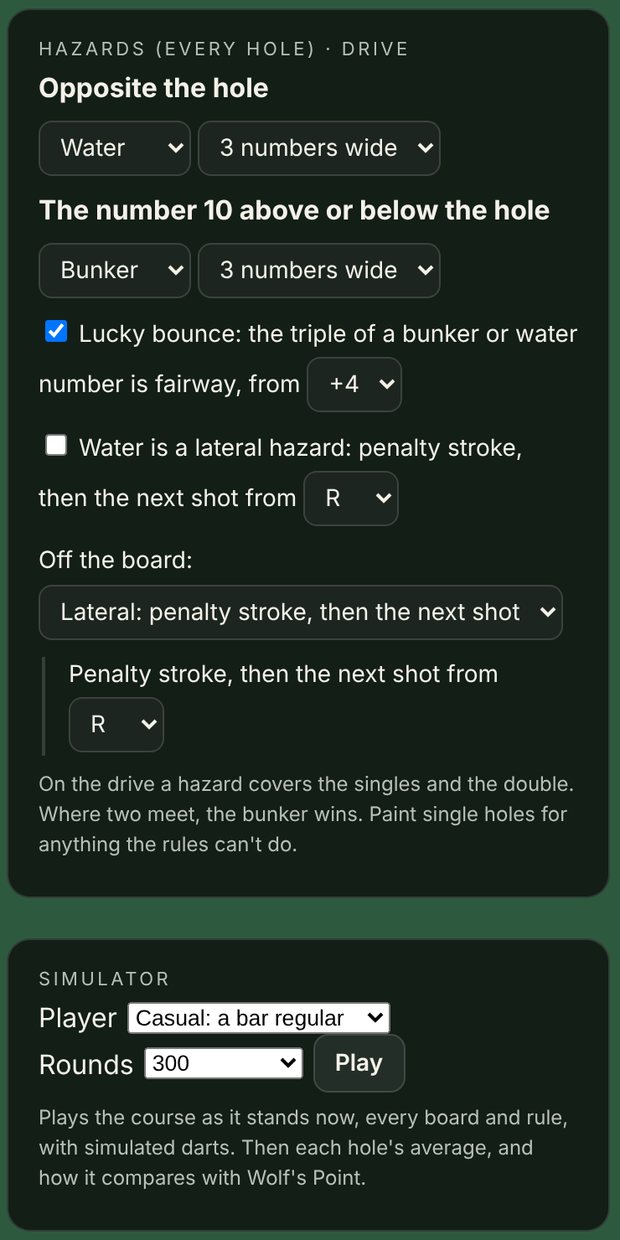
Base rules change every hole at once. Switch to Hole only to change just the hole on show, and lock a hole so later base-rule changes leave it as it is. Under Hazards, choose what sits opposite the hole and on the number 10 above or below it, whether water is a lateral hazard, and what happens to a dart that misses the board.
Test it and rate it
The Simulator plays your course with simulated darts, from a player new to darts up to a sharp league player, and shows each hole's average. Compare with Wolf's Point suggests a course rating: how many strokes over par a scratch player shoots there. Then take it to your board with Test play.
Publish it
Save keeps it on your phone. Publish checks that every hole is filled in, then sends it online, where every player can find it under Everyone's courses, play it and rate it. You need to be signed in to publish. Change it any time and tap Update online. Export saves it as a file to send a friend, and Import opens one.
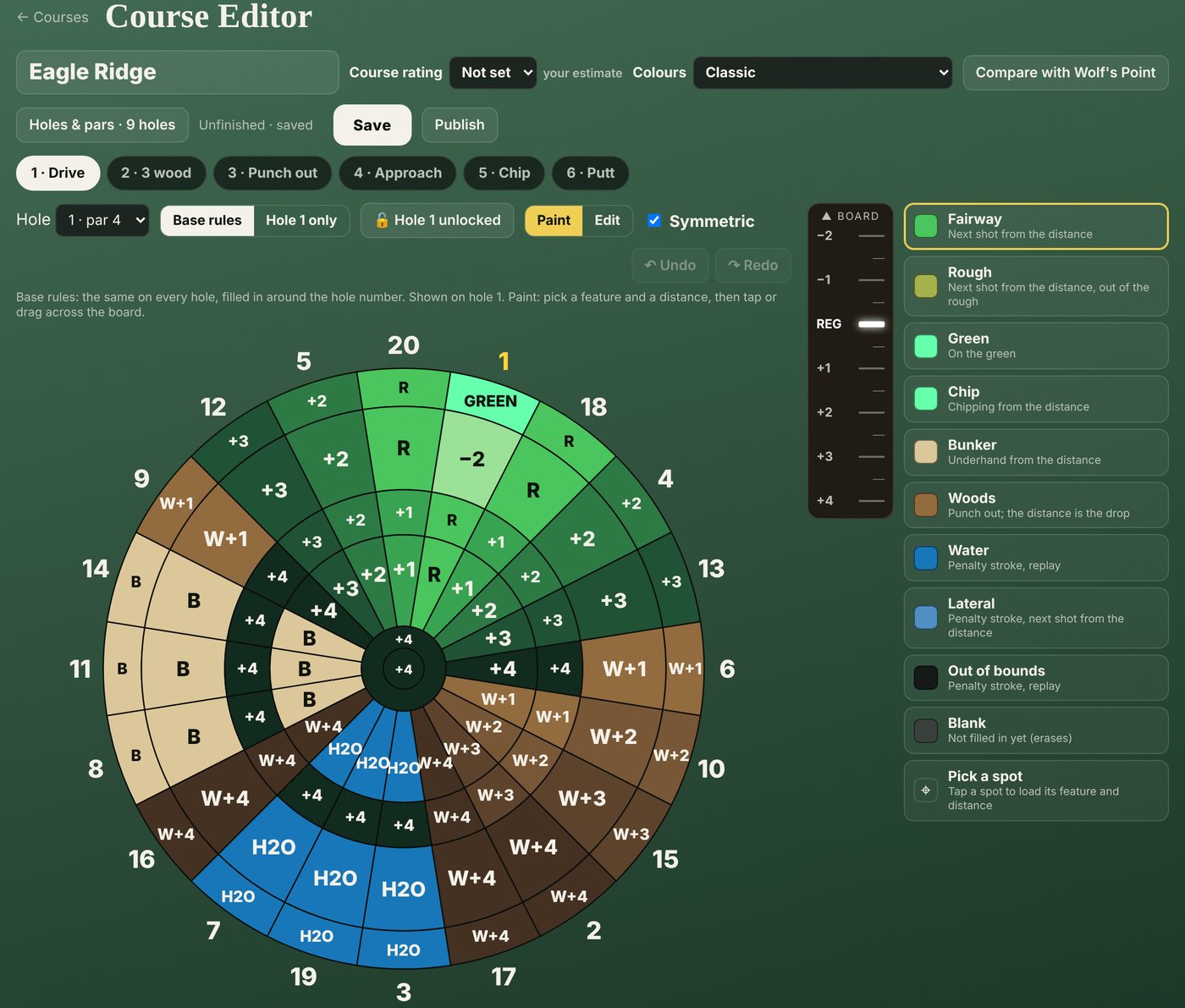
What you can paint
FairwayNext shot from the distance
RoughNext shot from the distance, out of the rough
GreenOn the green, ready to putt
ChipChipping from the distance
BunkerUnderhand from the distance
WoodsPunch out; the distance is the drop
WaterPenalty stroke, replay
LateralPenalty stroke, next shot from the distance
Out of boundsPenalty stroke, replay
Hazards and the simulator
Hazards are set once for every hole on the drive: water or a bunker opposite the hole, one on the number 10 above or below it, how wide each one is, and a lucky bounce that turns the treble of a hazard number into fairway. Paint single holes for anything the hazard rules can't do.
The simulator plays the course exactly as it stands, every board and rule, for as many rounds as you choose. Use it to check that your par 5s really play like par 5s before anyone else tees off.
Borrow from a course you like. The Reference board beside the editor shows any course's hole and shot. Tap Use this board here to copy it onto yours, spot for spot, then make it your own.
The app keeps your card
Full rules, hole-by-hole scoring, handicaps, and the stance scale are all built in — you just throw. The in-app rules panel has every detail whenever you want it.
Back to overview